
The Apps Every Student Should Actually Download
L
By Lian Everett on October 10, 2026
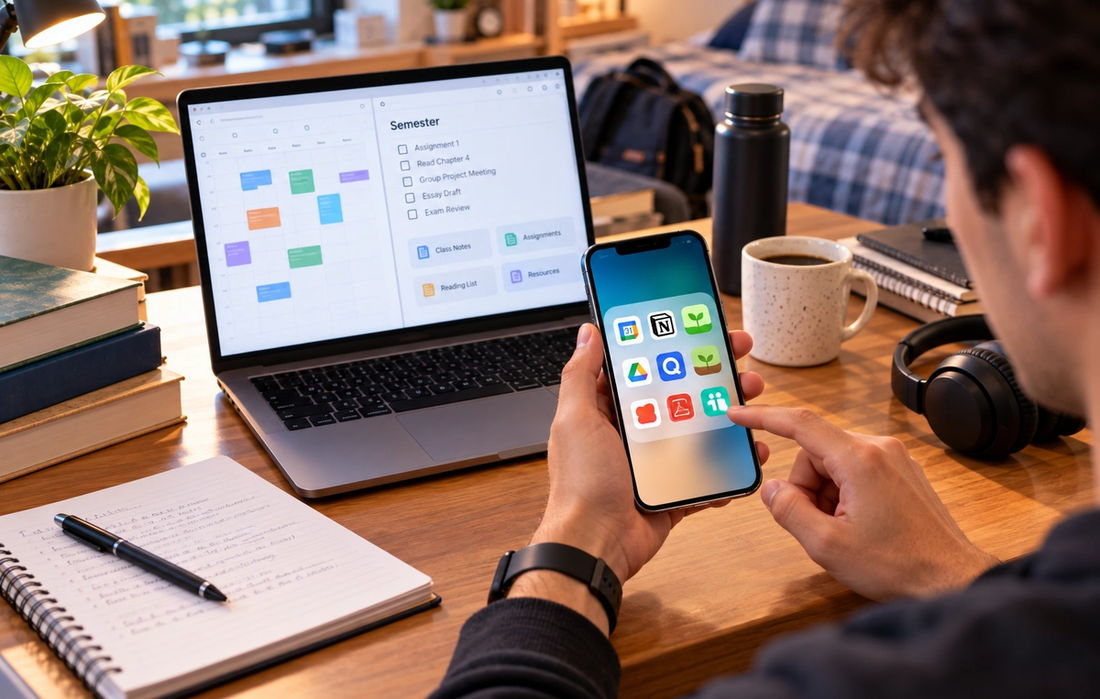
There is an app for almost every part of student life.
There are apps that organize assignments, block distractions, scan notes, make flashcards, track habits, split restaurant bills, store files, and remind you to drink water. Download enough of them and organizing your productivity apps can become its own form of procrastination.
You don’t need 30.
The most useful student apps solve specific problems: forgetting deadlines, losing documents, struggling to focus, studying inefficiently, or trying to coordinate six people who all insist they are “free whenever.”
The goal isn’t to turn your phone into a productivity machine. It’s to use a small number of tools that make college life noticeably easier.
Google Calendar for keeping your life in one place
Your brain should not be responsible for remembering that your essay is due Thursday, your group meeting is Tuesday at 4 p.m., and registration for next semester opens Friday morning.
That’s what a calendar is for.
Google Calendar is useful because you can put classes, deadlines, appointments, work shifts, social plans, and study sessions in the same place. Color-coding different categories can make a busy week easier to understand at a glance.
The important part is actually using it consistently.
When a professor announces a deadline, add it immediately. When someone schedules a meeting, put it in the calendar rather than assuming you’ll remember.
You probably won’t.
Notion for organizing complicated semesters
Notion can be as simple or as elaborate as you want.
At its most useful, it gives you one place for class notes, assignment trackers, reading lists, project plans, and personal organization.
You can create a page for each course, keep important links together, track upcoming assignments, and build a dashboard showing what needs your attention.
The danger is spending three hours designing the perfect Notion system instead of doing the assignment the system was supposed to help you complete.
Start simple.
Your productivity dashboard does not need to look like the control center of a spaceship.
Anki for remembering things long term
If your courses involve large amounts of information that need to stay in your memory, Anki is worth learning.
Anki uses spaced repetition. Instead of reviewing every flashcard equally, it schedules cards based on how well you remember them. Difficult material appears more frequently, while information you consistently know is shown less often.
That makes it particularly useful for subjects involving vocabulary, terminology, formulas, anatomy, languages, dates, or other information that benefits from repeated retrieval.
The cards still need to be good.
A flashcard containing an entire paragraph is basically a tiny textbook page. Keep questions focused enough that you actually have to retrieve a specific answer.
Quizlet for quick and easy studying
Anki is powerful, but Quizlet can be easier when you want to create a study set quickly.
You can build digital flashcards, review definitions, and turn course material into different forms of practice.
It’s especially convenient for short-term studying when you have a vocabulary list, important concepts, or definitions you need to review before an exam.
Just be careful with study sets created by strangers.
Someone else’s confidently incorrect flashcard is still incorrect.
Whenever possible, create your own sets from your professor’s material or verify shared information before memorizing it.
Forest for when your phone is the problem
Sometimes you don’t need a better study technique.
You need to stop opening TikTok every four minutes.
Forest turns focused time into a simple game. You start a focus session and grow a virtual tree while you work. Interrupting the session can interfere with that progress, giving you a small incentive to leave your phone alone.
Is a digital tree going to transform your academic life?
Probably not.
But creating even a little friction between the impulse to check your phone and actually checking it can help.
You can accomplish something similar with built-in focus modes and app limits. The specific tool matters less than creating periods when distracting apps aren’t constantly competing for your attention.
Google Drive for avoiding academic disasters
There are few student experiences more painful than losing hours of work because a laptop crashes, a file becomes corrupted, or you accidentally save the final version somewhere mysterious.
Cloud storage reduces that risk.
Google Drive lets you keep documents, spreadsheets, presentations, PDFs, and other course materials accessible across devices. It also makes group projects easier because several people can collaborate on shared files.
Create folders for each semester and course instead of throwing everything into one enormous digital pile.
And use sensible file names.
“FINALessayACTUALfinal2NEW.docx” is a cry for help, not an organizational system.
Microsoft Lens or Adobe Scan for turning paper into PDFs
College still produces a surprising amount of paper.
Handouts, handwritten notes, worksheets, receipts, forms, textbook pages, and documents can quickly disappear into backpacks.
A scanning app lets you photograph a document and turn it into a cleaner PDF that can be saved, shared, or uploaded.
This is especially useful when you need to submit handwritten work or preserve something important before the physical copy disappears forever beneath three notebooks and an old granola-bar wrapper.
Scanning important documents also makes them searchable and easier to organize alongside the rest of your digital course materials.
Splitwise for surviving shared expenses
Student friendships have been tested by amounts much smaller than tuition.
One person buys groceries. Someone else pays for the taxi. Another friend covers dinner. Two weeks later, nobody remembers who owes what.
Splitwise keeps track of shared expenses and calculates balances between people.
It’s useful for roommates, trips, group dinners, shared subscriptions, household purchases, and any situation where people regularly pay for one another.
Instead of having six separate conversations about money, everyone can see what has been recorded.
It won’t make rent cheaper.
Unfortunately, no app has solved that one yet.
Your university’s official app deserves a place too
The least exciting app on this list may be one of the most practical.
If your university has an official app, download it.
Depending on the institution, it may include your timetable, campus map, library services, student ID, transportation information, dining options, emergency alerts, grades, course platforms, or important announcements.
You may only use a few features regularly.
But the day you’re standing outside an unfamiliar building five minutes before class, that campus map suddenly becomes very valuable.
You don’t need every productivity app
The best student setup is usually boring.
One calendar. One place for notes. One reliable cloud-storage system. One study tool that works for your subjects. Maybe one focus app if distractions are a problem.
That’s enough.
Downloading more productivity apps doesn’t automatically make you more productive. Sometimes it just gives you more places to check.
Choose tools based on problems you actually have.
If you forget deadlines, use a calendar. If you struggle to remember information, try spaced repetition. If your files are chaos, organize cloud storage. If your phone destroys your concentration, block distractions.
The best app isn’t necessarily the one with the most features.
It’s the one you actually keep using after the first week.

How to Stop Procrastinating (Backed by Psychology)
You know the assignment is due Friday. You’ve known about it for two weeks. You even opened the document three days ago. And yet, somehow, it’s Thursday night and you’re suddenly very interested in reorganizing your desk, answering old messages, and researching something that has absolutely nothing to do with the assignment.
Legacy Park|3 weeks ago

How to Build Habits That Actually Last
Lian Everett|3 weeks ago

The Difference Between Discipline and Motivation
Joey Zimmerman|3 weeks ago

How to Become a Better Decision Maker
Noah Shepard|3 weeks ago

The Two-Minute Rule That Solves Procrastination
Lucas Rollins|3 weeks ago

How to Read More Books This Year
Colton Watts|3 weeks ago
Read More
The Real Difference Between a Job, a Career, and a Calling
Legacy Park|

The Real Difference Between Free and Paid AI Tools
Joey Zimmerman|

The Quiet Loneliness of College (And What Actually Helps)
Legacy Park|

Why “Finding Yourself” Takes Longer Than Anyone Told You
Lian Everett|

The Real Difference Between Being Smart and Being Educated
Lian Everett|

Why Some Students Peak in College (And Others Don’t)
Noah Shepard|

The Cultural Power of the College Years (For Better or Worse)
Lucas Rollins|

Why the Best Advice You Get in College Rarely Comes from a Professor
Colton Watts|

How to Use AI to Study Smarter (Not Just Faster)
Legacy Park|
The Apps Every Student Should Actually Download
Lian Everett|
How to Take Better Class Notes with Just Your Laptop
Joey Zimmerman|

How to Back Up Your Files (Before Your Laptop Dies Mid-Semester)
Lucas Rollins|

How to Spot AI-Generated Content Even When It’s Good
Colton Watts|

The Weirdest College Traditions Around the World
Joey Zimmerman|

The Movies Every College Student Should See at Least Once
Joey Zimmerman|

The Best Ways to Actually Enjoy a Weekend Off Campus
Joey Zimmerman|

The Games That Every Dorm Room Ends Up Playing
Joey Zimmerman|

The Most Unhinged True Stories from Ivy League Campuses
Lucas Rollins|

The Books That Are Actually Fun to Read (Not Just Required)
Colton Watts|

How to Stop Procrastinating (Backed by Psychology)
Legacy Park|